
Johnson Controls P2000 End-Of-Life
What Facility Managers Need To Do Next
Managing enterprise access control across commercial properties requires balancing physical security, cyber resilience, and smooth tenant
movement. For over a decade, the Johnson Controls P2000 platform was that standard choice for high-volume commercial access control.
With the Johnson Controls P2000 system now reaching official End-of-Life (EOL) status, remaining on this legacy architecture presents critical security and operational risks for facilities staying on the system.
Byron Rabone, Director of Rabone Systems, sat down to discuss the practical implications of the P2000 EOL status, the security risks of keeping legacy hardware online, and how facilities can execute a cost-effective, future-proof upgrade.
What is the Johnson Controls P2000 Access Control System?
The Johnson Controls P2000 was an enterprise-grade access control system combining proprietary software and hardware. Engineered in-house by Johnson Controls, the platform was built to manage door credentials, cardholder privilege hierarchies, and high-level elevator integrations across commercial real estate developments.
When initially released, the P2000 was a state-of-the-art solution. However, as with many legacy security platforms, its underlying hardware protocols and operating software have since been superseded by current networking standards and cybersecurity protocols.
Why Did Johnson Controls P2000 Support Finish?
The Johnson Controls P2000 platform EOL stems from core hardware constraints and unsupported operating software:
1. Discontinued Windows Operating System Support
The P2000 system software relies on Windows Server 2008. Official support ended in 2020, and extended security patching timelines have now expired. Operating commercial access control on an unsupported operating system introduces increased network vulnerabilities across your broader building management ecosystem.
2. Legacy Reader Communication Protocols
The physical elements of the P2000 present modern hardware security constraints:
-
Absence of Reader Encryption: Standard: P2000 hardware only supported OSDP Version 1. Unlike OSDP Version 2, Version 1
lacks AES encryption between the card reader and the access control panel.
- Legacy Wiegand Wiring: Most original P2000 deployments used third-party Wiegand readers. Wiegand is an unencrypted, one-way communication protocol. Passing unencrypted data over Wiegand wiring allows credential skimming via direct inline taps, whereas modern architectures require two-way, AES-encrypted communication (suc as OSDP v2).
What Cybersecurity and Operational Risks Do Legacy Access Control Systems Present?
Operating an EOL platform introduces defined vulnerabilities across both physical hardware and digital networks:
1. Network & Database Compromise
Co-locating an unsupported server on a shared Building Management System (BMS) network or LAN allows malicious actors to exploit known Windows Server 2008 vulnerabilities. This could result in unauthorized access, compromised cardholder databases, or network-wide operational outages.
2. Denial-of-Service (DoS)
Legacy controllers on unsegmented networks present defined operational risks. Unsegmented network traffic or misconfigured devices can overload legacy processors, causing system lockups and complete access failure across doors and elevator infrastructure.
3. Elevator Delays
Legacy P2000 high-level elevator integrations relied on low-bandwidth serial protocols. During peak periods, low serial throughput creates noticeable delays when readers attempt to communicate with the security headend. Current architectures address these constraints by deploying dedicated Ethernet interfaces to deliver high-bandwidth, real-time processing.

What Key Features Should You Look for in a Modern Access Control System?
Upgrading your security infrastructure allows facilities to mature toward flexible, scalable open-architecture platforms like ICT Protege GX Integration or Gallagher Security Systems.
When evaluating modern replacement platforms, prioritize the following features:
1. Encrypted Mobile Credentials (NFC vs. Bluetooth)
Modern platforms support encrypted electronic credentials via smartphones. When evaluating mobile protocols, NFC (Near Field Communication) offers lower operational overheads, faster transmission speeds, and greater reliability across iOS and Android devices compared to Bluetooth.
2. Biometric Access Control and Cabling
If your facility is evaluating biometrics (such as facial recognition or fingerprint scanners), keep in mind that biometrics
requires secondary Ethernet cabling to each reader location. While OSDP handles standard card authentication, template synchronization and
user enrollment require direct IP connectivity, increasing physical infrastructure requirements.
3. Beware of Immature Market Entrants
In the last decade, newer Software-as-a-Service (SaaS) providers have entered the physical security sector, many lacking enterprise-grade maturity. For example, certain market entrants fail to support advanced elevator floor isolation—unlocking all elevator floors during an intercom release rather than restricting access strictly to the destination floor. Rigorous vendor vetting ensures selected technologies meet commercial operational requirements without introducing security gaps.
4. Software-as-a-Service (SaaS) vs On-Premise Servers.
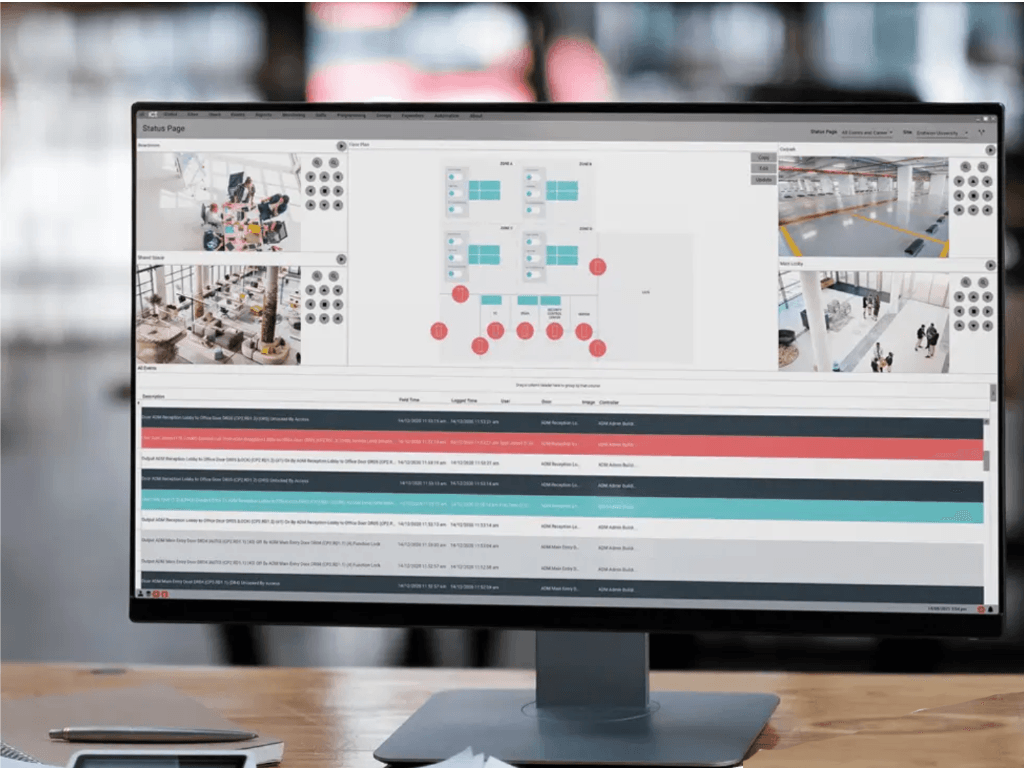
Historically, upgrading legacy access control platforms required substantial capital expenditure (CapEx) for on-premise servers, perpetual software licenses, and ongoing IT hardware maintenance. Transitioning to a cloud-hosted Security-as-a-Service (SaaS) architecture shifts access management into a predictable operational expenditure (OpEx).
-
Reduced CapEx Infrastructure: Shift away from expensive local servers and perpetual license cycles to lower upfront
operational spending.
-
Automated Cloud Maintenance: Server maintenance, OS security patching, database redundancy, and software updates are
handled directly through cloud infrastructure.
- Predictable Scaling: Subscription frameworks allow facility managers to scale door counts, elevator controls, and credentials without incurring unexpected capital outlays or licensing fees over time.
What Steps Should Facilities Managers Take Next?
If your property currently operates a Johnson Controls P2000 system, follow this structured roadmap to execute a seamless upgrade:
Step 1: Conduct a Physical Dilapidation Audit
Before buying new software, audit your buildings existing hardware infrastructure:
- Inspect existing door locks, power supplies, inputs, relays, and field cabling.
- Determine whether existing card readers and cabling supports RS-485 / OSDP v2 communication protocols.
- Request a comprehensive Physical Infrastructure & Dilapidation Audit to map out reusable cabling.
Step 2: Audit the Integrated Communications Network (ICN)
Verify your building network topology:
- Ensure the facility access control system runs on its own dedicated Layer 2 VLAN.
- Confirm network switches have battery backup (UPS) redundancy to maintain communication during main power failures.
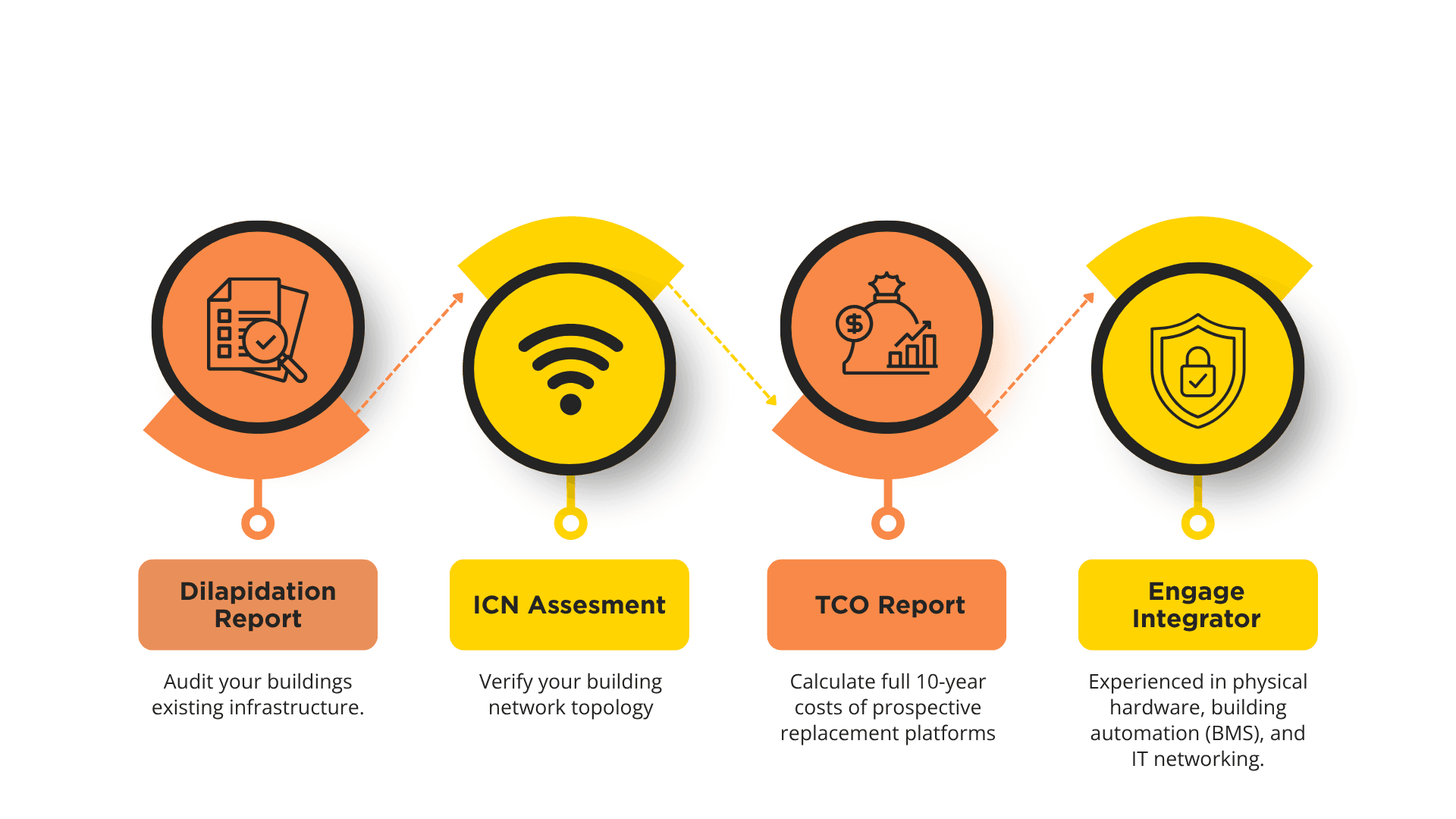
Step 3: Evaluate Total Cost
Calculate the full 10-year lifecycle cost of prospective replacement platforms. Review recurring software maintenance fees, reader licensing, mobile credential subscription costs, and hardware replacement costs to avoid locking yourself into unsustainable long-term expenses.
Step 4: Engage a Multidisciplinary Security Integrator
Avoid demarcation disputes between separate network contractors and security installers. Engaging a single multidisciplinary systems engineer—experienced in physical hardware, building automation (BMS), and IT networking—consolidates project liability and ensures your network infrastructure, high-level elevator integrations, and access control platforms operate with complete continuity.
